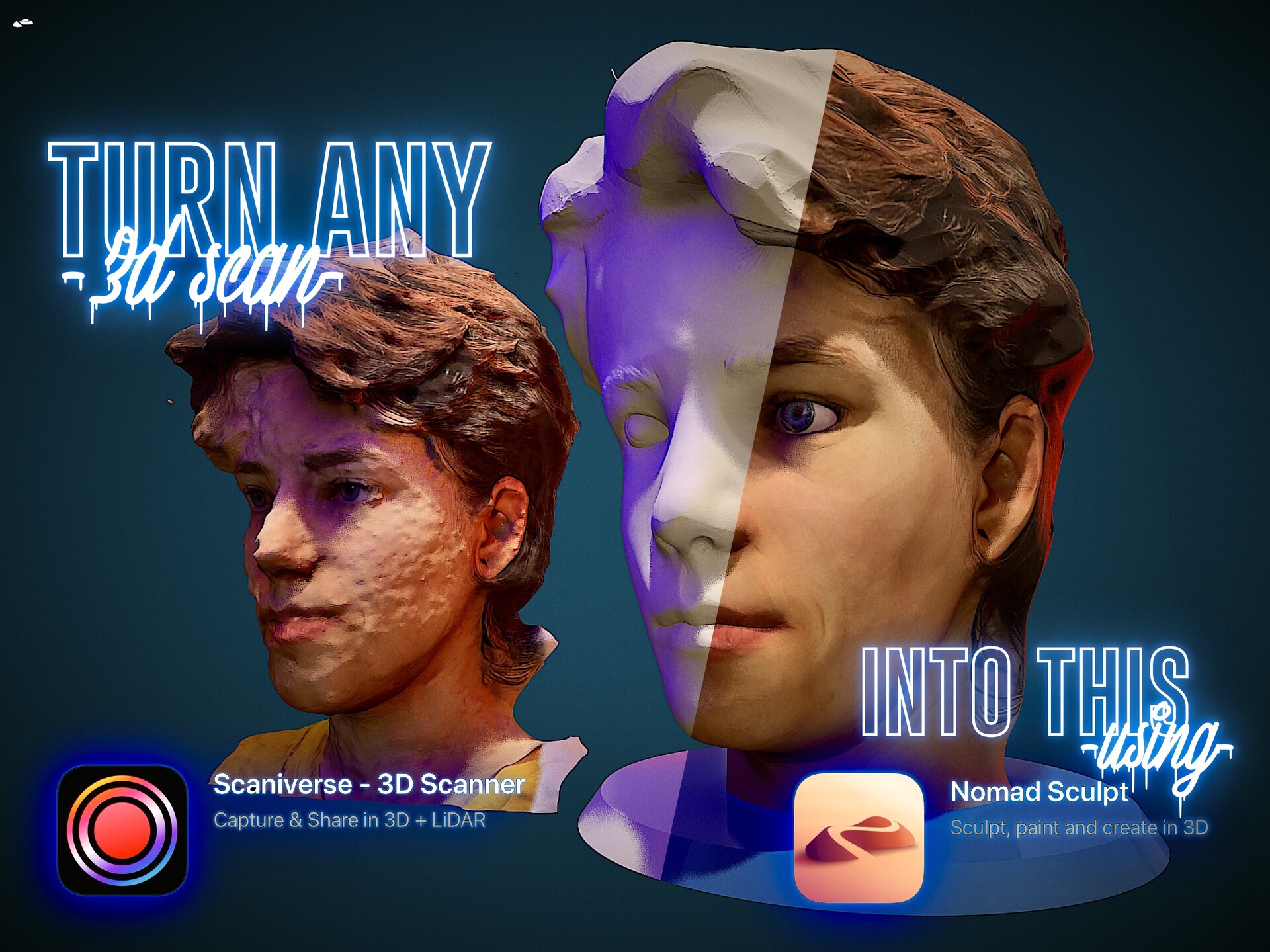
How to use any 3D scan in @nomadsculpt app (@scaniverse app tips included)
Hi there!
.
Thought this kind of content might be of help!
…
First things first.
If you happen to have any of the iPad models or iPhones with #LIDAR sensor, well… It’s your LUCKY day!
.
Go ahead and download from the AppStore, this awesome Free app called
Feel free to use the link below. It will save you some time.
https://apps.apple.com/ro/app/scaniverse-3d-scanner/id1541433223
Not Only is it free, but it has no ads, unlimited #3Dscans, and really nice results. I use it for scanning people, vehicles, buildings, walls, trees, and quite some textures.
.
.
Get familiar with how to stroll around the app, and make sure to view this tutorial video on how to use any scans even if they seem not that great at start, into your daily workflow and creative process.
.
If you enjoy sculpting in @nomad sculpt app, or even if you just started doing so, using 3D scans can be a really nice way to add more interest, detail, and elements to your work.
.
This video is meant to showcase how to adjust, clean, and bring out the life out of any 3D Scan. (Case being this time, the head of my luv, my partner in everything… my girlfriend.
.
Keep in mind this is an experimental workflow, that doesn’t have a strict set of rules, but it does have a lot of Fun waiting for you.
Don’t stress too much if you won’t get it right from your first try… practice only makes it better!
.
Feel free to comment and share your feedback in the comments
.
#3d #3dart #3dartist #3dmodeler #3dsculptor #3dobject #3dmodel #3dworld #3dconcept #3drender #3dvisuals #3dninja #3ddigitalninja #cgi #visual #light #vfx #art #artist #romanianartist #digitalart #digitalartist #digitalworld #digitalasset #tutorial #3dtutorial #3dscan #scaniverse #nomadsculpt #howto #workflow #experimental #matcap #pbrrender #brush #crease #drag #move #gizmo #flatten #smooth